Map marketplace
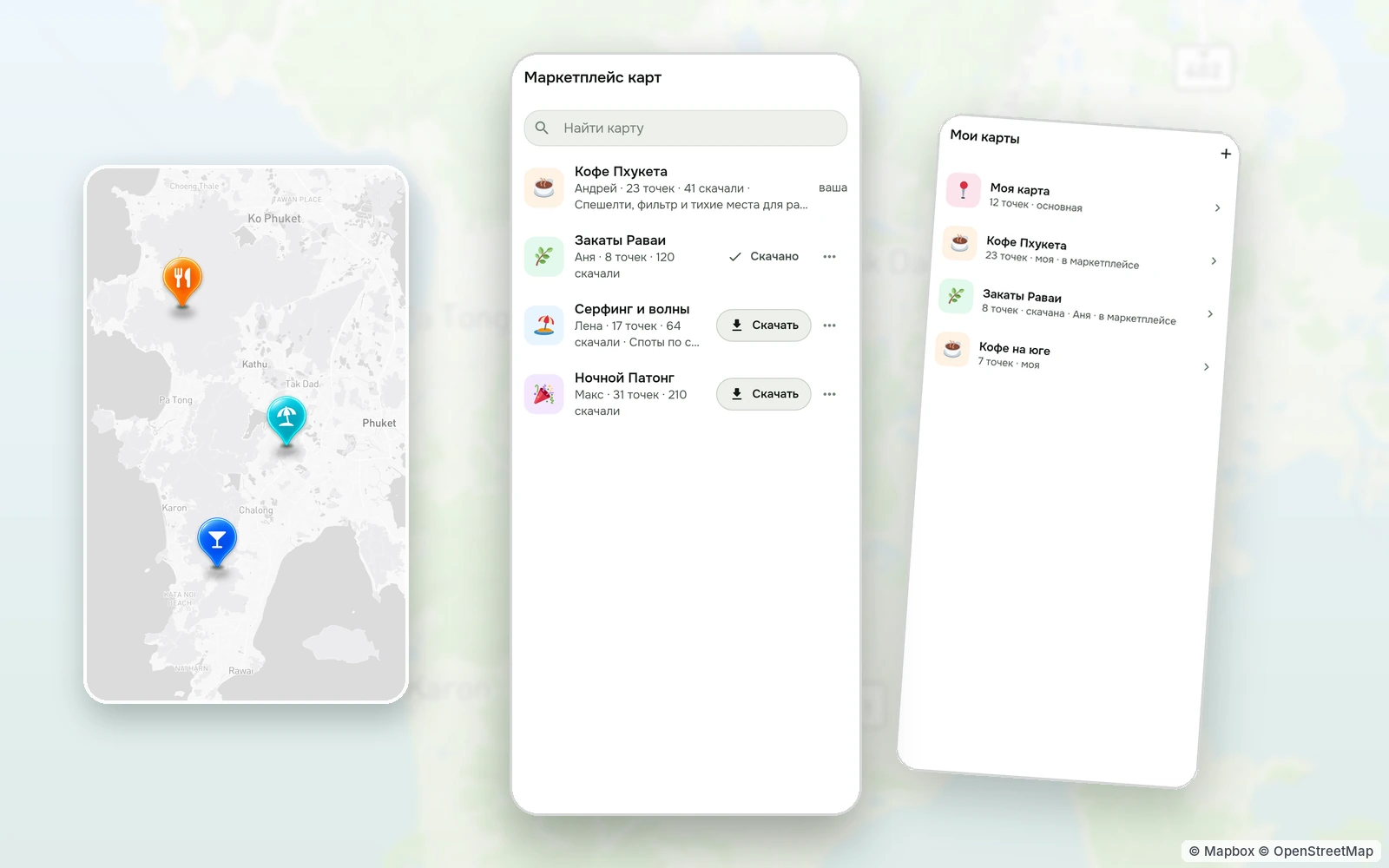
A local who knows every quiet beach, a friend who mapped the coffee of a whole district — their maps are yours in one tap, on top of your own.
© Mapbox · © OpenStreetMap
How it works
Anyone in TapMap can publish a map. Published maps sit in the marketplace with their name, author, number of points and how many people downloaded them. Empty maps never show up, and the most downloaded come first.
«Download» adds the map to «My maps» as a layer. Switch it off when you don't need it and back on later — the points appear at once, with no loading. When the author changes the map, your copy updates by itself.
As many layers as you like
Several maps can be on at once: yours, downloaded ones and TapMap's main map. Big directory maps — all the stores of a chain in a city, say — never cover the cafés: their points come in as you zoom and take only the space left.
Search finds maps
Start typing a map's name in search and it shows up among maps, even without the hyphens and capitals. Picking it switches the map on and downloads it if you don't have it yet. Which maps are on is kept in your account and survives a new phone.
Publishing your own
Build a map, add points and a description, and switch on «Publish on the marketplace». Any map can be reported if it breaks the rules.
How to start
- Open the layers sheet on the map and tap «Map marketplace».
- Find a list by name or pick one of the popular ones.
- Tap «Download» — the map lands in «My maps» and switches on as a layer.
Questions and answers
Do maps in the marketplace cost anything?
No, every map is free.
Can I switch a downloaded map off?
Yes, with its switch in «My maps»; you can remove it completely in the map's settings.
Will TapMap's own places get lost under other points?
No. Big maps come in as you zoom and give way to regular places.
More features
- Your own map of favourite placesYour pins, friends as co-editors, maps as layers
- Import a list from Google MapsA list link in, places on your map out
- Map stylesReady-made styles and people's styles in one tap
- Map style editorColours, fonts, 3D buildings and your own icons in a browser
- Style API for AI agentsAn AI agent makes the style for you
TapMap is free
A map of places, events and friends. On Android and in the browser.