Your own map of favourite places
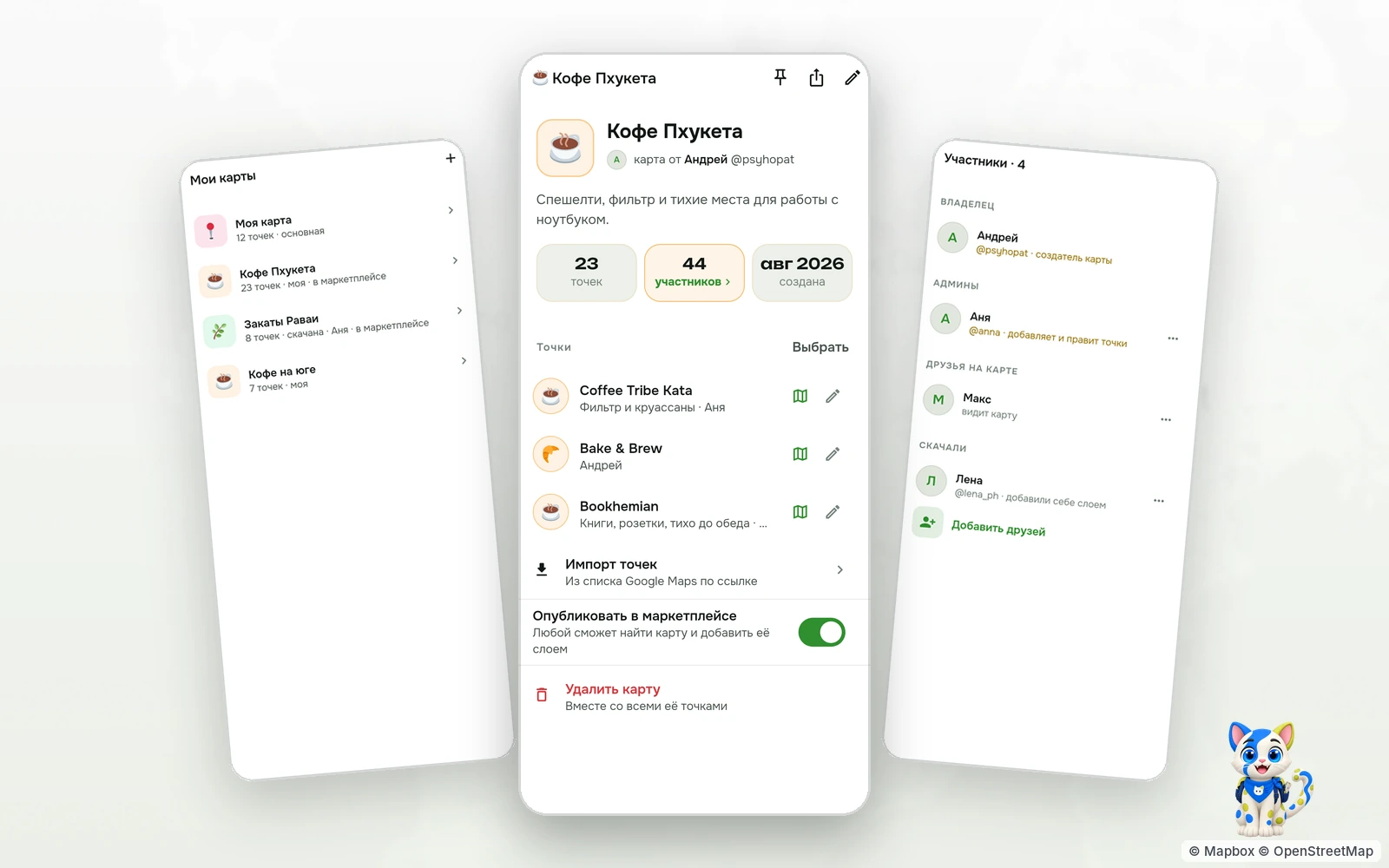
Favourite cafés, the beach for sunsets, parking by the office — everyone in TapMap has their own maps, and the places on them belong to you alone.
© Mapbox · © OpenStreetMap
Your first map is already there
The first time you sign in you already have «My map». Every point you add lands on it by default: a café, your office, the gym, a friend's home, a photo spot.
You can make up to thirty maps. Each has its own name, icon, colour and description — «Coffee to work from», «Sunsets», «With kids», «Night out».
A collaborative map with friends
Make a friend an admin of a map and they add and edit points too. That is how a shared map of a trip or a neighbourhood is kept by two people or a whole group. Only people in your friends list can become admins.
Maps are layers
All your maps live in the «My maps and styles» sheet, and each one switches on or off. Any number can be on at once, and the choice is kept in your account: another phone or a browser opens the same map.
Your pins show in the very first frame after launch and stay without internet: the app keeps them on the phone.
Your points stay yours
Points on your map do not go into TapMap's shared base and wait for no moderation. They are seen by the people you show the map to: admins, subscribers and, once you publish it, everyone in the map marketplace.
How to create your own map
- Open the map in TapMap, tap the layers button, then «New map».
- Give it a name, an icon and a colour; add points with «Add a point» or bring a list over from Google Maps.
- Invite friends as admins or switch on «Publish on the marketplace».
Questions and answers
How many maps can I make?
Up to thirty per account, with as many points on each as you need.
Who can see my map?
Until it is published — only you and the admins you chose. A published map is open to everyone in the map marketplace.
Can I bring places over from Google Maps?
Yes, from a list link: the places come with ticks, and the ones you keep land on your map.
Does the map work offline?
Your pins do: the app keeps the maps that are on and refreshes them when the network is back.
More features
- Map marketplaceOther people's place lists as layers over your map
- Import a list from Google MapsA list link in, places on your map out
- Map stylesReady-made styles and people's styles in one tap
- Map style editorColours, fonts, 3D buildings and your own icons in a browser
- Style API for AI agentsAn AI agent makes the style for you
TapMap is free
A map of places, events and friends. On Android and in the browser.