Map styles
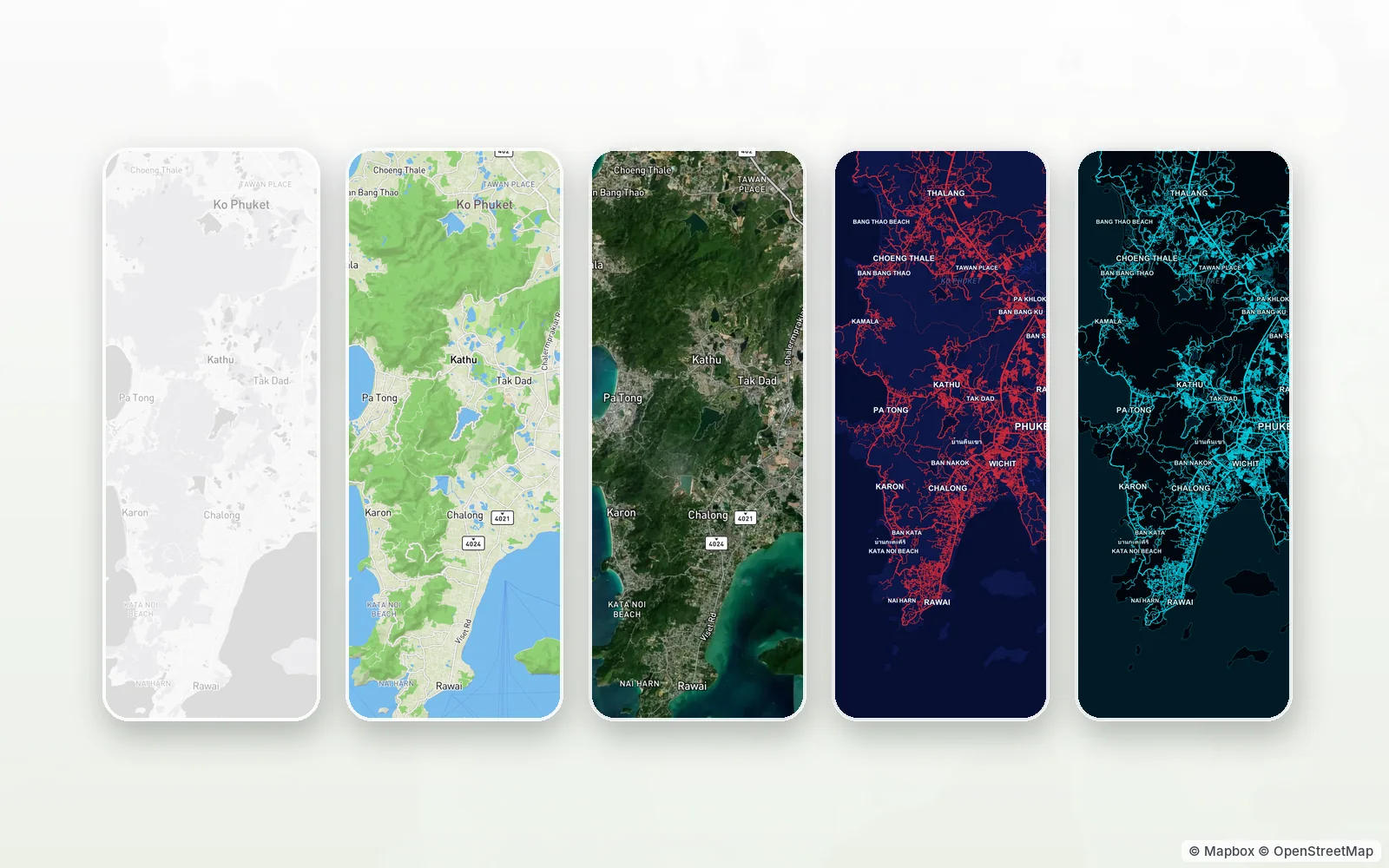
A map doesn't have to be beige. In TapMap it can be dark, shaded relief, satellite — or a style someone else drew.
© Mapbox · © OpenStreetMap
Ready-made styles
The «My maps and styles» sheet has Classic, Terrain and Satellite right at hand. Classic turns dark by itself when the app's dark theme is on.
Behind «More» are themed styles with their own place icons and animations: Western in paper and ink, Neon with running lights, Terminal with a green screen and Comic with bold outlines.
Styles made by people
The style marketplace has a «People's styles» section: they are made in the editor at styles.tapmap.net and published by their authors. Each card shows a preview, the author and likes; styles that more people like and keep on their maps come first. A style goes on in one tap.
A style changes more than the colour of water and roads. It can carry its own 3D buildings with windows, its own place icons — and animated icons that play right on the map. Its author can set the colour of the route line and place labels, and a light and dark pair: the style swaps with the app theme.
Your choice stays with you
The chosen style is kept in your account and opens the same on another phone and in a browser. When the author releases a new version, it downloads by itself. If a style is taken off the marketplace, people who already put it on in the phone app keep it.
How to start
- Open the layers sheet on the map.
- Pick Classic, Terrain or Satellite — or tap «More».
- In the style marketplace, put on a themed style or one made by people.
Questions and answers
Do styles cost anything?
No, every style is free, ready-made or made by people.
Can I make my own style?
Yes, in the editor at styles.tapmap.net — by hand or with an AI agent through the API.
What if a style breaks the rules?
Report it from the style card's menu. A moderator takes it down.
More features
- Your own map of favourite placesYour pins, friends as co-editors, maps as layers
- Map marketplaceOther people's place lists as layers over your map
- Import a list from Google MapsA list link in, places on your map out
- Map style editorColours, fonts, 3D buildings and your own icons in a browser
- Style API for AI agentsAn AI agent makes the style for you
TapMap is free
A map of places, events and friends. On Android and in the browser.